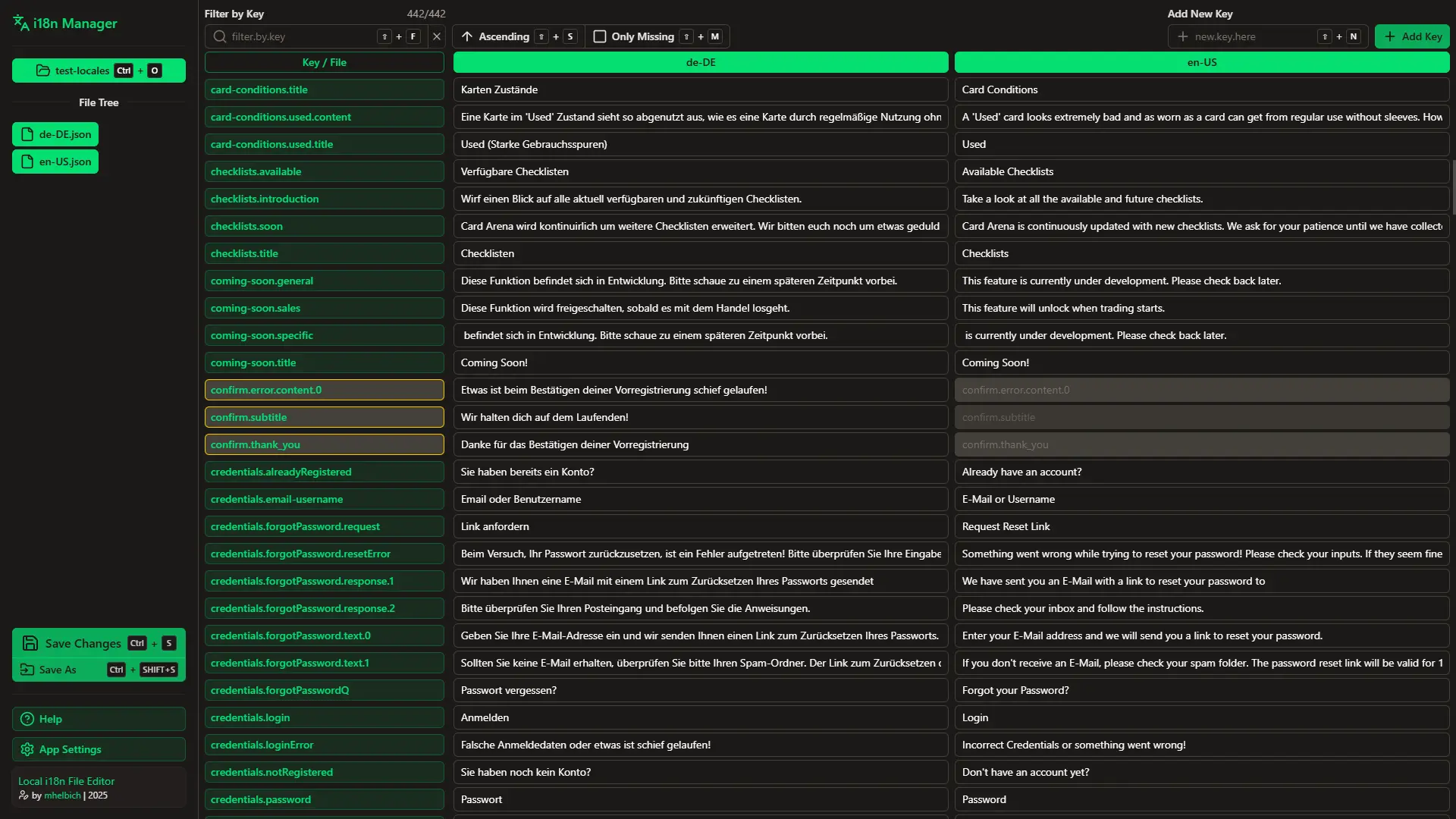
What it does
Managing i18n locale files by hand — digging through JSON, keeping multiple language files in sync, hunting for missing keys — is exactly as tedious as it sounds. i18n Manager turns that into a clean table view in the browser where you can edit, add, and delete translations without touching raw JSON.
You open your locale files directly from your filesystem, make changes, and save them back. No upload/download cycle, no copy-pasting between windows.
The interesting part
This is entirely client-side and uses the File System Access API — a browser API that grants read/write access to actual files on the user's machine. The app never touches a server. Your locale files stay on your computer; the browser reads and writes them directly.
It's a useful API that most developers haven't reached for yet, and it makes for a surprisingly snappy developer tooling experience.
Tech
- Nuxt — framework
- Nuxt UI 3 — component library
- File System Access API — local file read/write without a backend
Source is private. Free to use at i18n-manager.mhelbich.de.